
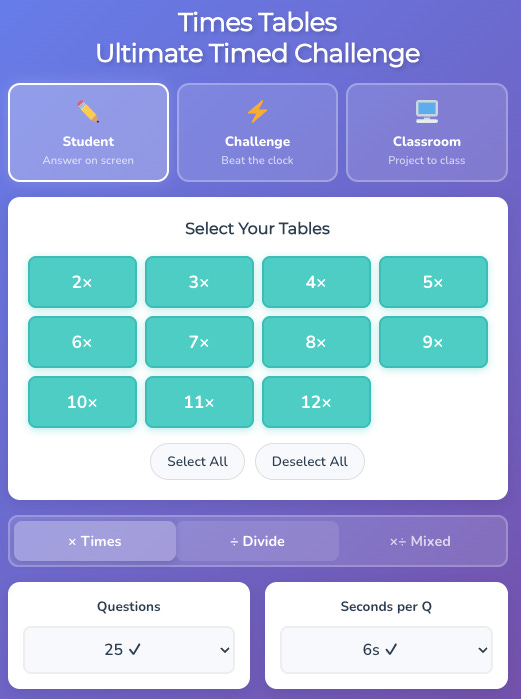
My seven-year-old son, Isaac, is currently loving learning his times tables (he is cool, just like his Dad). On the way home from school last week, he asked me to build him a game to help him practice his times tables. He was very specific about what he wanted. He wanted to practice a few specific times tables (he loves the 3s, not so much the 7s). Sometimes he wanted to practice multiplying, sometimes just dividing, sometimes mixed. He gets nervous when there is a timer, so he wanted to be able to practice without one, but also have the option to try to answer as many questions as he could in 30 seconds or a minute. He thought his teacher, Miss Hewitt, might also like to show a different times table question on her whiteboard every few seconds so the class could write their answers in their books.
Up until very recently, my response would have been to look for something ready-made for him on the internet. No doubt we would have found something pretty close, but it wouldn’t have been quite right.
Instead, we went up to my office, fired up Claude, typed in exactly what Isaac wanted, asked Claude to ask us questions about our project (Crucial Step #1), and 2 minutes later, we were playing a prototype. Isaac suggested a few changes, which we fedback to Claude (Crucial Step #2). We then asked Claude to review the final game and make suggestions for improvements and new features (Crucial Step #3), some of which we liked and others we didn’t. Finally, we copied the code into Gemini and asked it to review what we had built and suggest any improvements or features (Crucial Step #4).
This whole process took no more than 10 minutes, and at the end, we had this game. It does exactly what Isaac wanted and more besides, and is optimised for mobile, iPad, and Miss Hewitt’s whiteboard.
20 minutes later, we had versions of the same game for number bonds, rounding, negative numbers, and more (you can play them all here).
I used to have a section on my Mr Barton Maths website where I shared questions on different topics to help students think a bit deeper – Convince me that 91 is not a prime number, Write three linear equations with a solution of -7, that sort of thing. Recently, I rebuilt my website, and I couldn’t find a home for these questions, so they disappeared.
Several teachers got in touch to say they missed them, so over the weekend I started experimenting. I shared a load of the questions I had written with Claude to teach it the kind of questions I wanted and the purpose they served. I then asked Claude to suggest some other question structures that would similarly support students’ thinking and reasoning that could be applied across multiple concepts. Together, we came up with these five structures:
I had a go at writing some questions on averages and range from a list of data to fit each of these structures, and asked Claude to do the same. When I compared our outputs, it pains me to say that I rejected about half of mine in favour of Claude’s efforts. I told Claude the ones I liked and why, and the reasons for rejecting the others.
I then asked that the questions be presented so a teacher could project them full-screen to the class. I also asked for the 'Give an example of…' questions to be available as a printable worksheet.
You know what's coming next: I played with the output, made some suggestions, and asked Claude for its suggestions to improve the final output. I then shared this output with Gemini to get their thoughts.
20 minutes later, I had my first Probing Questions page on averages and range from a list of data. Here is a sample of some of the questions:
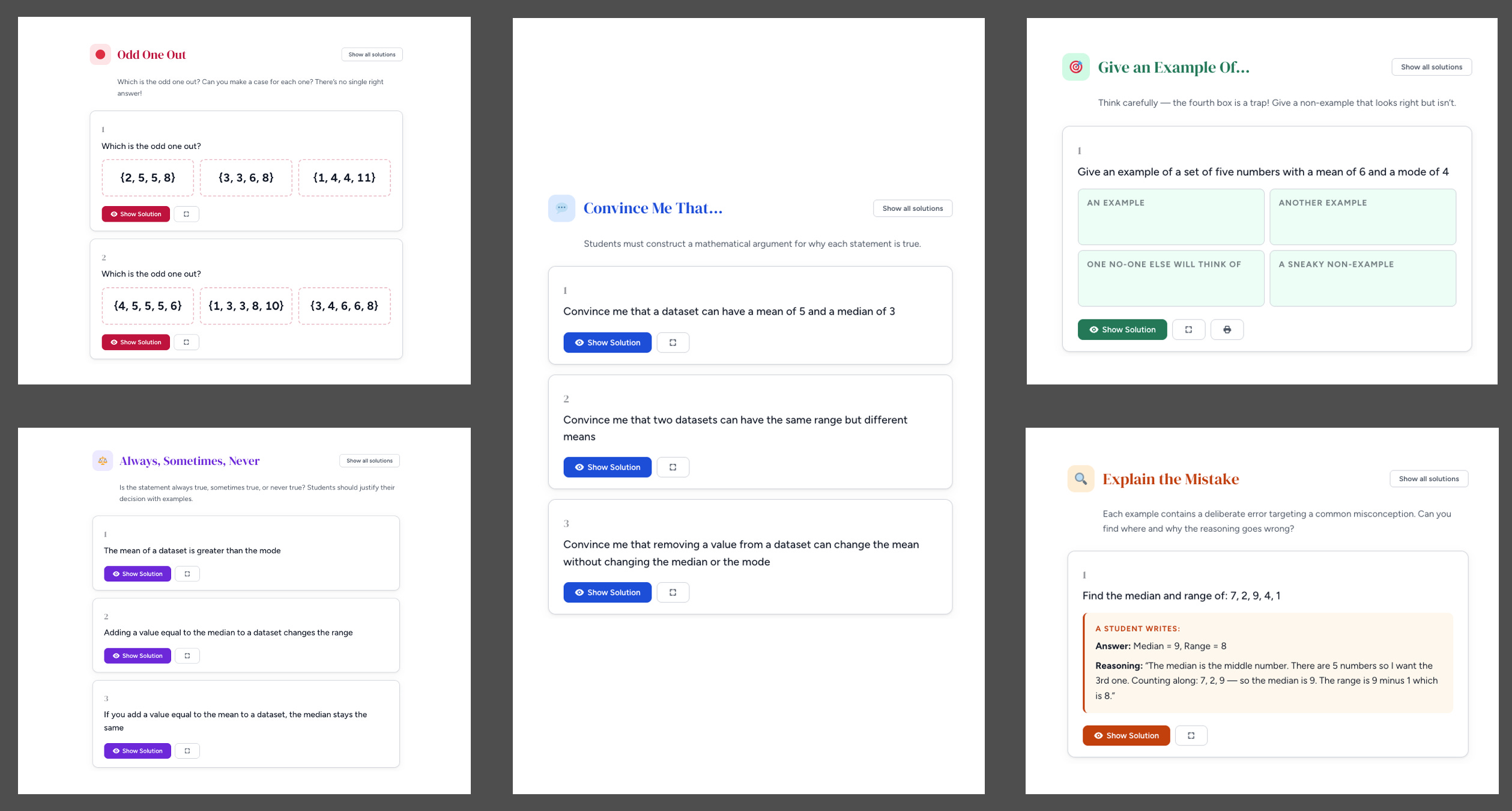
And now I have one page I am happy with, and Claude has a set of good and bad examples to learn from. I can use this as a reference point to create a similar page on any topic in less than 15 minutes. Here are the others I have built so far.
I am not sharing either of these stories to show off how brilliant I am. Believe me, I do not have a clue how to write code. I don’t know a JavaScript from a Java coffee bean. And yet, I can build things like the resources above (and this place value tool, and this number grid explorer, and this fraction wall) pretty quickly.
I have been trying to do things like this for the last two years, ever since I started messing about with ChatGPT, and the results have rarely been worth the effort. But Google’s Gemini 3.5 and, more recently, Claude’s Opus 4.6 have changed the game when it comes to maths resource creation. Now, ideas can become reality quickly. Indeed, if you ask for suggestions for improvement along the way, they can become better than the reality you had in mind.
Of course, anyone in any profession can do this. But as teachers, we have two distinct advantages: we are good at explaining things, and we have a lot of patience for back-and-forths from years of similar interactions with students (Josh, how can you not understand what I am saying????). And that is the key to working with these latest models. Communicate your idea as clearly as you can, be prepared and willing to give feedback, be prepared to take on suggestions you hadn’t considered, get a second opinion from another model, and you can build pretty much anything you like.
This means that for the first time, teachers with little or no technical capabilities (i.e., me) can create bespoke resources for their students in a timeframe much quicker than it would take to find something not quite right and adapt it. And the results are often much better. Resource creation has become democratised.
If you are on Substack, you may have seen examples of teachers doing exactly this.
Harry Zafar has been using AI to create multiple-choice diagnostic questions for his students to help identify misconceptions. Read his post here.
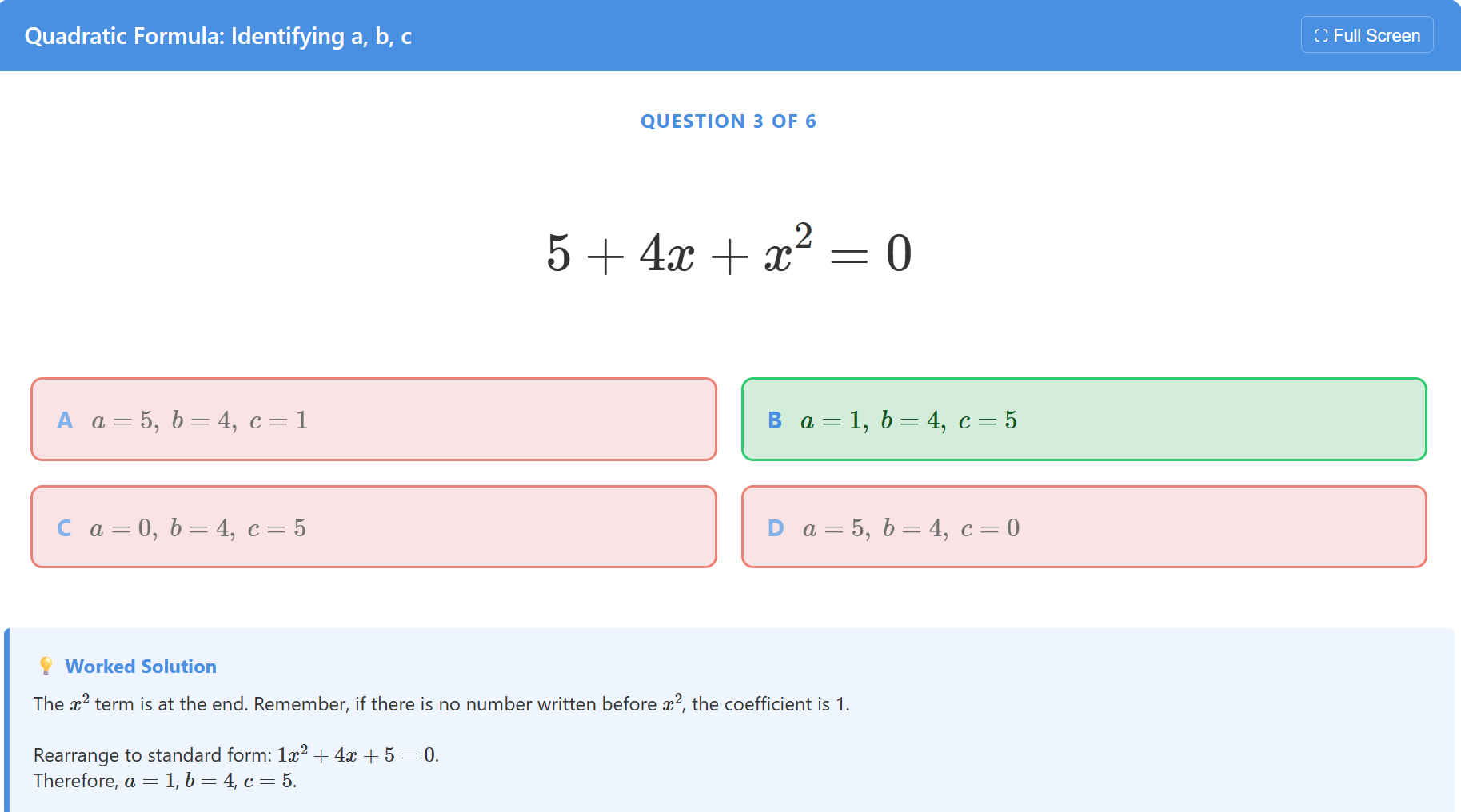
Dr Dario Emanuele has been experimenting with AI to break complex concepts down into Atoms to help his students learn.
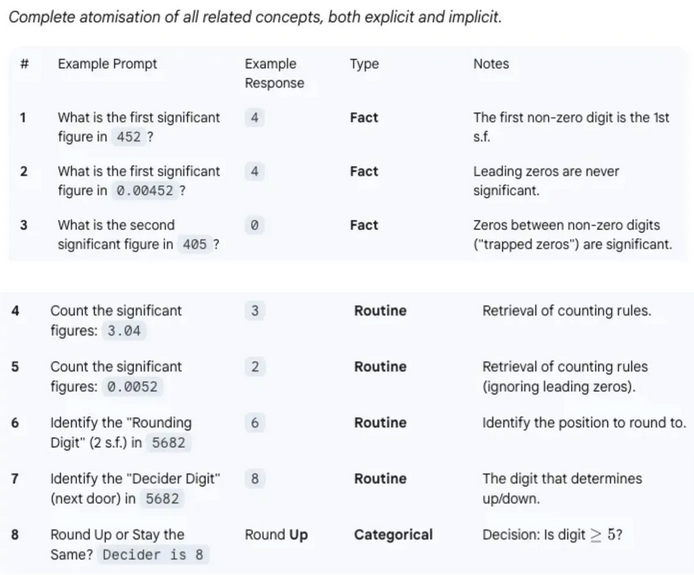
Best of all, Dr Dario shares the prompts he uses. See this post for a lovely collection. I would also recommend this post, where Dr Dario shares a key breakthrough he made.
Peter, inspired by Dr Dario, has started creating a series of bespoke resources for his lower-attaining students.
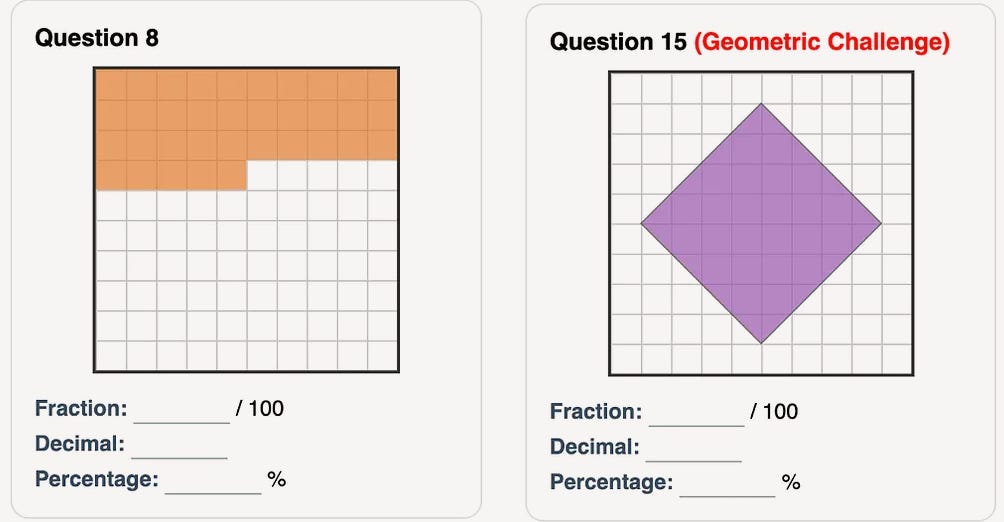
Read the first post in Peter’s series here.
Steve Mander got in touch via email to say: I got more inspired after reading your latest post on AI. I have no experience whatsoever, but I decided to give it a go. I thought I would make a series of Do Nows with adjusted levels or steps for my foundation GCSE cohort. Enclosed is my effort on percentages.
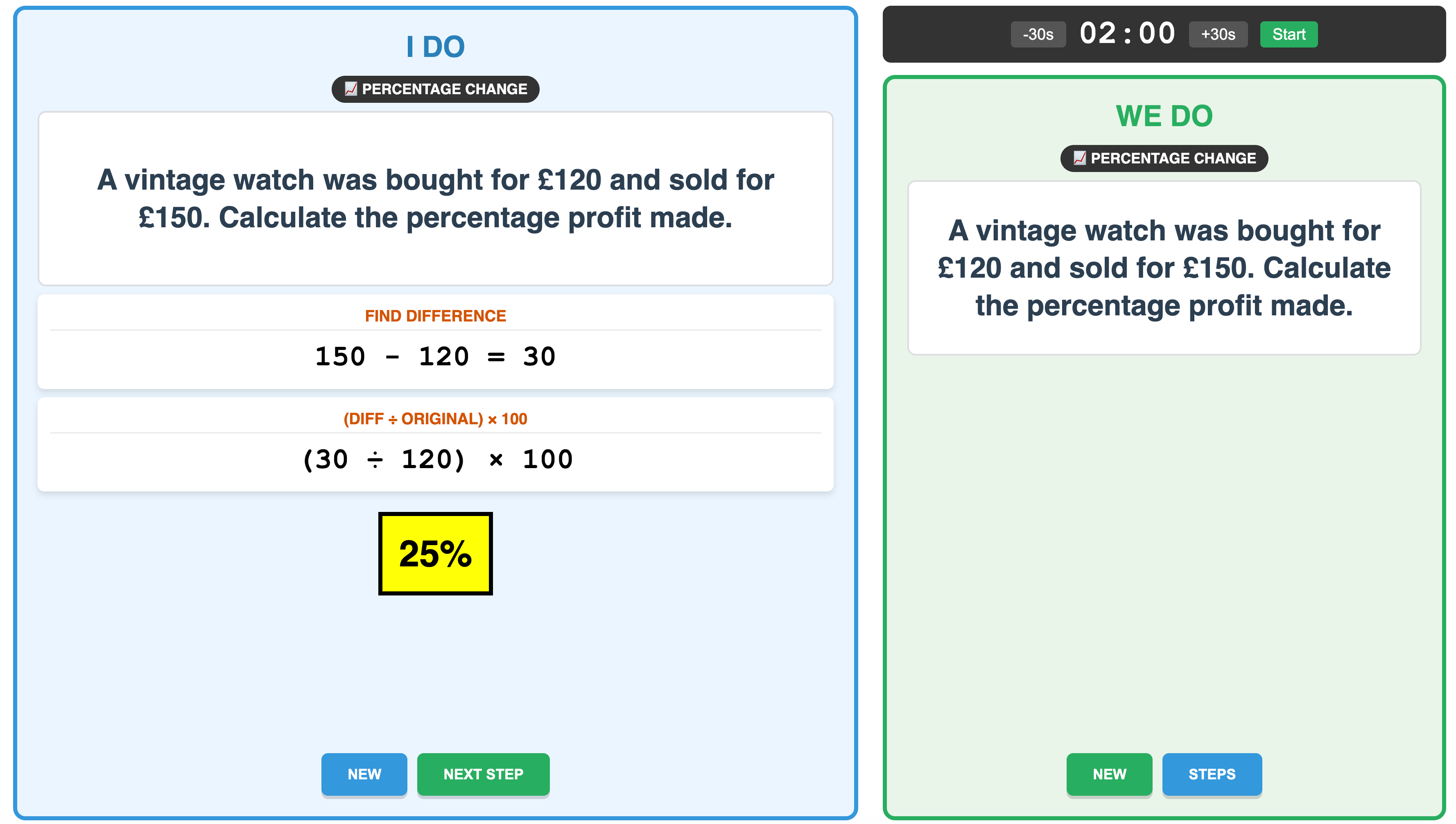
You no longer need to settle for that subpar PowerPoint or that set of questions that is not quite right, or spend hours late into the evening adapting or creating something from scratch. The opportunity now exists to use your communication skills, patience, and unique knowledge of your students to create a resource just for them in a fraction of the time. And when you find one that works, you can use the same resource as a reference point to create something similar for other topics.
All of this has significant implications for my day job.
My Eedi Learning Design team and I have written well over 10,000 multiple-choice diagnostic questions over the last few years (Is that A: a little, B: a lot, C: too many?). We have also created 1000s of procedural and problem-solving questions and videos that students across the world use on our Eedi School platform. We did all of these by hand, using our decades of classroom experience.
We don't write procedural questions by hand anymore. With a good prompt, some examples and non-examples, AI can do just as good a job as us. Even with non-routine problem-solving questions, with the right guidance, AI can produce some impressive results. In both cases, the human must stay in the loop. This is not a case of pasting the prompt, copying the output, and taking the rest of the day off. Our skill and experience come in crafting the prompt and examples in the first instance, evaluating and providing feedback on the results, and iterating the prompt based on what we have learned to get better results next time. This is the process of cognitive offloading described by Paul Kirschner, which can support cognition by freeing up our attention to focus on what matters.
Videos are an interesting case. They took us hours to make. But if we want kids to sit watching devices (and that is a big if), are videos the best medium to support learning? I don’t think so. Our work with Google has convinced me that, with the correct training and guardrails, an AI Tutor can deliver a much more effective, personalised learning experience than a static video. So, we are no longer recording videos.
Which leaves us with our bread and butter: multiple-choice diagnostic questions. Among all the resources, their creation would seem the easiest for an AI takeover. And whilst they do a really good job on certain topics, we have found they have a significant blind spot: images. Even the latest AI models struggle to produce the key visuals students need in maths, whether it's an irregular polygon with an exterior angle marked or a visual representation of completing the square. We have found that you can train a model to produce one type of image pretty well, but any tweak causes issues, and you have to restart training for a different type of image. Thus, the AI lacks the general, transferable intelligence that an experienced, human question writer has.
This means we still write all our primary maths diagnostic questions, which rely heavily on visuals, by hand. We use AI to suggest misconceptions and question stems, but the crafting and cognition come from us.
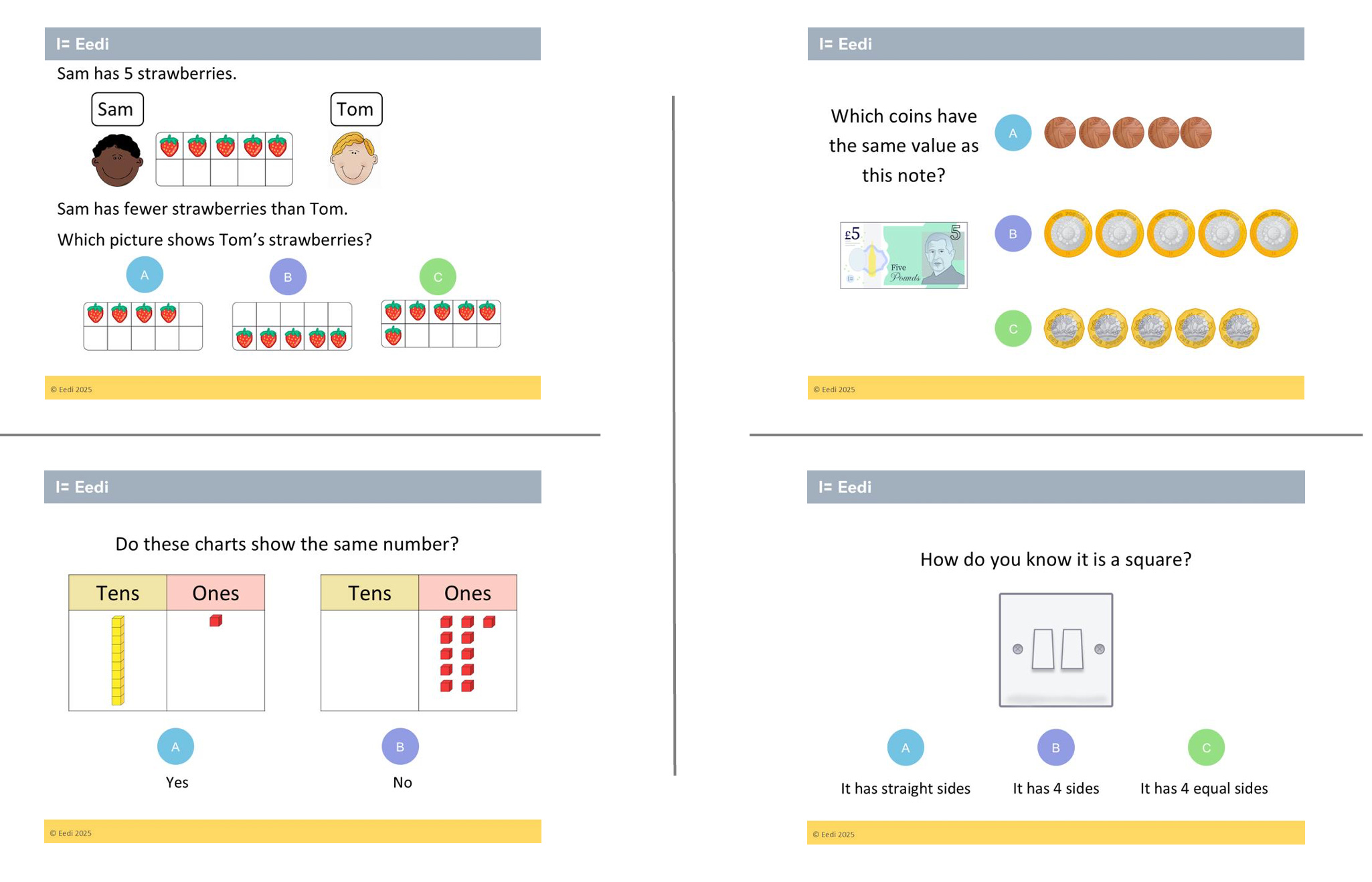
By the way, I have organised all our best questions from Reception to Year 11 here.
AI will, of course, get better at image creation. But at Eedi, we will only change the way we do things when we are sure the output meets the high standards we set. We will not gamble with kids’ learning.
I have a challenge for you.
Think of a topic you will be teaching your class soon. Have a go at creating a resource just for them. It could be an engaging way of introducing the topic, a sequence of 5 practice questions, some revision cards, an explain the mistake activity, an exit quiz, a prerequisite knowledge check, a paired discussion prompt, a puzzle, a game, a homework, whatever you like.
Then follow these steps:
Then let me, and others, know how you get on. There is a whole group of us out there who have always wanted to create things but have been held back by a lack of technological knowledge. That barrier is crumbling more and more every day. We can all step across it together.
